The "Intelligent Steward" of Unattended Service: How Self-Service Terminals Work
From:
TouchKit Date:03-27 387 Belong to:Industry Trends
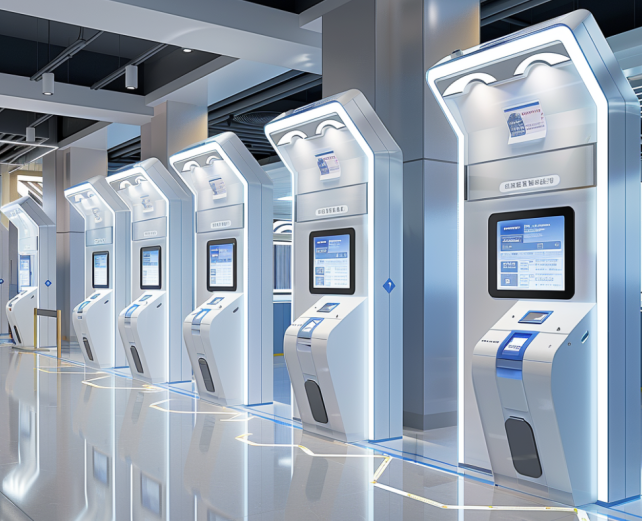
A self-service terminal is an unattended intelligent device designed based on human-computer interaction technology. By integrating hardware modules and customized software systems, it allows users to independently complete a series of operations such as information inquiry, business processing, and transaction settlement without manual assistance. Widely used in retail, finance, medical care, transportation and other scenarios (such as self-checkout machines, ATMs, scenic spot ticket machines), its core value is to break the constraints of time and manpower, realizing 24/7 automated service delivery.
I. Core Definition: What is a Self-Service Terminal?
A self-service terminal is an unattended intelligent device designed based on human-computer interaction technology. By integrating hardware modules and customized software systems, it allows users to independently complete a series of operations such as information inquiry, business processing, and transaction settlement without manual assistance. Widely used in retail, finance, medical care, transportation and other scenarios (such as self-checkout machines, ATMs, scenic spot ticket machines), its core value is to break the constraints of time and manpower, realizing 24/7 automated service delivery.II. Core Composition: A Closed Loop of Self-Service Interaction Between Hardware and Software
1. Hardware Core: "Function Matrix" Supporting Independent Operation
- Main Control Unit (Motherboard + Processor): The "central brain" of the device, responsible for running system programs, processing user operation instructions, and coordinating the linkage of various hardware modules to ensure a smooth operation process without lag;
- Interactive Input Devices: Including capacitive touchscreen (core interaction carrier, receiving click/swipe instructions), scanning module (identifying user QR codes/barcodes), ID card reader (for identity verification scenarios), and keyboard/touch buttons (alternative input method);
- Information Output Devices: High-definition display (showing operation guidelines, business information, transaction details), thermal/dot matrix printer (printing documents, certificates, receipts), and voice broadcast module (assisting operation prompts to improve usability);
- Transaction/Business Modules: Payment unit (supporting card swiping, QR code scanning, NFC, cash payment), identity verification unit (face recognition, fingerprint recognition, ID card reading), and material distribution unit (such as ticket outlets of scenic spot ticket machines, lanes of vending machines);
- Storage and Communication Module: Built-in storage device (storing business data and operation logs), connecting to the network via Wi-Fi, network cable, 4G/5G module to synchronize data to the background management system, supporting remote monitoring and maintenance.
2. Software Core: "Intelligent Engine" Driving Self-Service Processes
- Operating System: Mostly adopts customized Android or Linux systems, balancing stability and lightweight, adapting to the low failure rate requirements of unattended scenarios;
- Core Business Software: Customized functions according to application scenarios, such as retail (commodity settlement, inventory synchronization), finance (transfer, inquiry, payment), medical care (registration, payment, report printing);
- Interactive Guidance Software: Provides visual operation interface, step-by-step guidance, and error prompts, reducing user learning costs and ensuring smooth independent operation;
- Data Management and Security Software: Encrypts and stores transaction data and user privacy information, synchronizes to the background in real time, supports data statistics and abnormal early warning, and has security mechanisms against tampering and malicious operations.
III. Workflow: A Fully Independent Closed Loop From Operation to Completion
- User Initiates Operation: Select the required business (such as "Self-Checkout", "Registration and Payment", "Ticket Collection") via the touchscreen, and the system displays operation guidelines;
- Information Entry/Verification: The user enters information or completes identity verification through scanning codes, ID card reading, face recognition, etc., and the system matches the corresponding business data;
- Business Processing/Commodity Settlement: Complete operations according to the business type, such as commodity scanning and price calculation in retail scenarios, and transfer amount input and payee confirmation in financial scenarios;
- Payment/Confirmation: The user selects a payment method to complete the payment, or submits after confirming the business information is correct, and the system verifies the payment result/business data;
- Result Output and Data Synchronization: The printer prints vouchers/receipts, the display shows a successful operation prompt, and the system automatically records operation logs and transaction data, synchronizing to the background management system;
- Process Completion: The device resets and waits for the next user's operation. The background system allows merchants/organizations to view data and perform subsequent management.
IV. Core Advantages: Why It Becomes the Mainstream Choice for Unattended Services?
- 24/7 uninterrupted service, breaking time limits and improving service coverage efficiency;
- No manual on-site attendance required, reducing labor costs, especially suitable for high-frequency and low-complexity business scenarios;
- Standardized and automated operation processes, reducing human errors and improving service consistency;
- Small space occupation, flexible deployment in shopping malls, hospitals, stations and other scenarios to expand service touchpoints;
- Real-time data synchronization, facilitating managers to accurately grasp business data and optimize service configuration.
Previous:Nothing